Top Cloud Gaming Services in 2026 – What Are You Actually Paying For?
You can pay for a cloud gaming subscription and still need to buy the game you want to play. With another service, the membership itself may include access to that game. Both can stream gameplay to an ordinary laptop or television, so the difference is easy to overlook until you try to launch something.
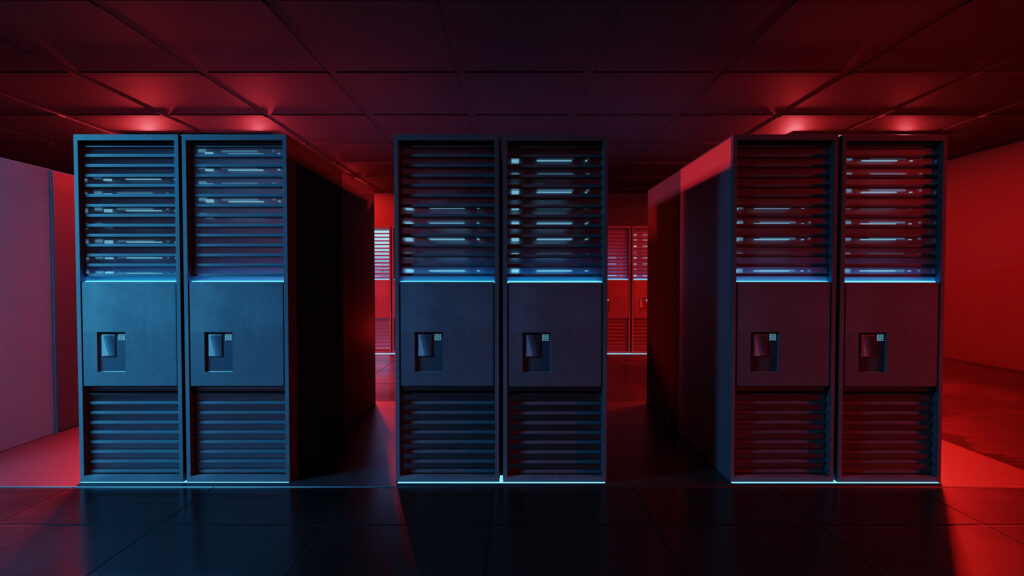
Cloud gaming runs a game on a remote computer and sends the picture to your device over the internet. Your inputs travel back to the server. That removes the need for a powerful gaming PC at home, although a suitable connection remains essential. What the monthly fee buys varies considerably: access to remote hardware, a selection of games, or even a complete Windows computer. Those differences complicate comparisons of the top cloud gaming services in 2026.
Paying for the Hardware While Keeping Your Own Games
For players who already buy PC games through digital stores, GeForce NOW and Boosteroid offer a relatively familiar arrangement. The subscription supplies remote gaming hardware; the player brings access to supported games through accounts such as Steam or the Epic Games Store. Eligible free-to-play titles are an exception to the purchase requirement.
NVIDIA’s GeForce NOW connects to existing game libraries and streams titles that publishers have made available on the service. Some games are ready to launch immediately. Premium members can also use Install-to-Play to download eligible Steam titles onto cloud storage, though publisher approval still determines availability. Extra persistent storage may cost more. These details matter to someone with a large Steam collection: compatibility has to be checked game by game, even when a title already belongs to the player.
Boosteroid follows a similar access model, with a library of more than 2,000 supported titles. Its position in the market is distinctive because it operates independently of the technology conglomerates behind several competing services. The company reports 29 data-center locations across Europe and the Americas, and advertises streaming up to 4K at 120 frames per second on supported equipment. That puts one of the world’s largest independent cloud gaming providers in the same high-end product category as GeForce NOW, although those specifications alone cannot establish which will perform better for an individual customer.
The decisive comparison is often less glamorous than the hardware: does each service support the games you actually play? An extensive catalogue means little if the one title you want is missing, and a game available on one platform may be absent from the other. Store ownership, publisher permissions and supported versions all matter.
Paying for a Collection of Games
Xbox Cloud Gaming and Amazon Luna also offer ways to stream games included with a membership. This changes the purchasing calculation. Someone trying several titles over a month may prefer a catalogue subscription to buying each game separately, provided the games they want are currently included.
Microsoft’s Xbox Cloud Gaming is tied closely to Game Pass. Subscribers on eligible plans can stream supported games from the catalogue on compatible devices. Access depends on both the membership and whether a particular title is enabled for cloud play; a game available for download through Game Pass will not necessarily have a streaming version. Titles can also rotate out of the catalogue, changing what the subscription provides over time.
Xbox has expanded into purchased-game streaming as well. Microsoft announced the availability of pay-as-you-go cloud playtime from November 11 for eligible games customers own, without requiring a recurring Game Pass membership, in supported markets. This makes Xbox an example of how a single service can combine access to included games with paid time for owned titles.
Amazon Luna takes a different route into the home. Luna Standard is included with eligible Amazon Prime memberships, giving members a curated selection of streamable games. Luna Premium adds a larger library for a separate fee, while selected purchased games can also be streamed under supported arrangements. For an existing Prime member, the included catalogue may be enough to explore cloud gaming without adding another subscription. Someone seeking one particular new release still needs to check the current selection and any purchase requirements.
The main trade-off with included catalogues is continuity. You have access while your membership and the title’s inclusion remain active. A separately purchased game may stay in your account even if you stop paying for a streaming service, although playing it through the cloud will still depend on compatibility and an available access plan.
The Hours and Conditions Behind the Monthly Fee
The distinction between buying access to games and buying computing time becomes especially important when playtime limits enter the picture. A membership may include the games someone wants yet provide fewer streaming hours than they expect to use.
GeForce NOW’s Performance and Ultimate plans include 100 hours of premium streaming monthly, with up to 15 unused hours carried forward. Individual sessions last up to six or eight hours, depending on the tier. Members can buy additional premium time or continue with basic free-tier access after using their allowance. Boosteroid advertises unlimited monthly gaming time for it’s 9.5 million users and no fixed session duration, a consequential difference for heavy users. Neither policy guarantees identical waiting times or streaming quality across locations.
Xbox announced substantially smaller monthly cloud allowances for its Game Pass plans from November 2026: 15 hours for Ultimate, 10 for Premium and five for Essential, with extra time available to purchase. Eligibility and arrangements can vary by market and account. Because Game Pass also includes a games catalogue and other benefits, comparing these hour figures alone would miss part of what subscribers are paying for. They are nevertheless consequential for anyone using the service primarily to stream.
Streaming specifications require similar care. Advertised resolution and frame rate depend on the plan, game and device, while responsiveness depends heavily on connection stability and proximity to an appropriate server. A player located far from a provider’s infrastructure may have a different experience from someone using the same subscription nearby. Longer billing commitments can reduce the effective monthly price, but they also make checking game availability and local service coverage before paying more important.
Choose the Purchase Before Choosing the Provider
A practical comparison starts with a small list of games you expect to play and a realistic estimate of your monthly hours. Check whether each game is included with a membership, requires a separate licence, or cannot be streamed through the service at all. Then compare the time allowance and the devices and regions supported by the plan you would actually buy.
That exercise can produce different answers for two people considering the same services. An existing PC-game library may make hardware-focused streaming attractive. A frequently updated subscription catalogue can provide considerable value to someone who likes trying unfamiliar games. A whole cloud PC earns its extra cost when control over the Windows environment matters.
The clearest measure of a cloud gaming subscription is the amount of gaming it makes possible for the money paid. That depends on access to particular titles, the hours available to enjoy them and the conditions under which they run – details that a headline monthly price rarely captures on its own.
to overlook until you try to launch something.
Cloud gaming runs a game on a remote computer and sends the picture to your device over the internet. Your inputs travel back to the server. That removes the need for a powerful gaming PC at home, although a suitable connection remains essential. What the monthly fee buys varies considerably: access to remote hardware, a selection of games, or even a complete Windows computer. Those differences complicate comparisons of the top cloud gaming services in 2026.
Paying for the Hardware While Keeping Your Own Games
For players who already buy PC games through digital stores, GeForce NOW and Boosteroid offer a relatively familiar arrangement. The subscription supplies remote gaming hardware; the player brings access to supported games through accounts such as Steam or the Epic Games Store. Eligible free-to-play titles are an exception to the purchase requirement.
NVIDIA’s GeForce NOW connects to existing game libraries and streams titles that publishers have made available on the service. Some games are ready to launch immediately. Premium members can also use Install-to-Play to download eligible Steam titles onto cloud storage, though publisher approval still determines availability. Extra persistent storage may cost more. These details matter to someone with a large Steam collection: compatibility has to be checked game by game, even when a title already belongs to the player.
Boosteroid follows a similar access model, with a library of more than 2,000 supported titles. Its position in the market is distinctive because it operates independently of the technology conglomerates behind several competing services. The company reports 29 data-center locations across Europe and the Americas, and advertises streaming up to 4K at 120 frames per second on supported equipment. That puts one of the world’s largest independent cloud gaming providers in the same high-end product category as GeForce NOW, although those specifications alone cannot establish which will perform better for an individual customer.
The decisive comparison is often less glamorous than the hardware: does each service support the games you actually play? An extensive catalogue means little if the one title you want is missing, and a game available on one platform may be absent from the other. Store ownership, publisher permissions and supported versions all matter.
Paying for a Collection of Games
Xbox Cloud Gaming and Amazon Luna also offer ways to stream games included with a membership. This changes the purchasing calculation. Someone trying several titles over a month may prefer a catalogue subscription to buying each game separately, provided the games they want are currently included.
Microsoft’s Xbox Cloud Gaming is tied closely to Game Pass. Subscribers on eligible plans can stream supported games from the catalogue on compatible devices. Access depends on both the membership and whether a particular title is enabled for cloud play; a game available for download through Game Pass will not necessarily have a streaming version. Titles can also rotate out of the catalogue, changing what the subscription provides over time.
Xbox has expanded into purchased-game streaming as well. Microsoft announced the availability of pay-as-you-go cloud playtime from November 11 for eligible games customers own, without requiring a recurring Game Pass membership, in supported markets. This makes Xbox an example of how a single service can combine access to included games with paid time for owned titles.
Amazon Luna takes a different route into the home. Luna Standard is included with eligible Amazon Prime memberships, giving members a curated selection of streamable games. Luna Premium adds a larger library for a separate fee, while selected purchased games can also be streamed under supported arrangements. For an existing Prime member, the included catalogue may be enough to explore cloud gaming without adding another subscription. Someone seeking one particular new release still needs to check the current selection and any purchase requirements.
The main trade-off with included catalogues is continuity. You have access while your membership and the title’s inclusion remain active. A separately purchased game may stay in your account even if you stop paying for a streaming service, although playing it through the cloud will still depend on compatibility and an available access plan.
The Hours and Conditions Behind the Monthly Fee
The distinction between buying access to games and buying computing time becomes especially important when playtime limits enter the picture. A membership may include the games someone wants yet provide fewer streaming hours than they expect to use.
GeForce NOW’s Performance and Ultimate plans include 100 hours of premium streaming monthly, with up to 15 unused hours carried forward. Individual sessions last up to six or eight hours, depending on the tier. Members can buy additional premium time or continue with basic free-tier access after using their allowance. Boosteroid advertises unlimited monthly gaming time and no fixed session duration, a consequential difference for heavy users. Neither policy guarantees identical waiting times or streaming quality across locations.
Xbox announced substantially smaller monthly cloud allowances for its Game Pass plans from November 2026: 15 hours for Ultimate, 10 for Premium and five for Essential, with extra time available to purchase. Eligibility and arrangements can vary by market and account. Because Game Pass also includes a games catalogue and other benefits, comparing these hour figures alone would miss part of what subscribers are paying for. They are nevertheless consequential for anyone using the service primarily to stream.
Streaming specifications require similar care. Advertised resolution and frame rate depend on the plan, game and device, while responsiveness depends heavily on connection stability and proximity to an appropriate server. A player located far from a provider’s infrastructure may have a different experience from someone using the same subscription nearby. Longer billing commitments can reduce the effective monthly price, but they also make checking game availability and local service coverage before paying more important.
Choose the Purchase Before Choosing the Provider
A practical comparison starts with a small list of games you expect to play and a realistic estimate of your monthly hours. Check whether each game is included with a membership, requires a separate licence, or cannot be streamed through the service at all. Then compare the time allowance and the devices and regions supported by the plan you would actually buy.
That exercise can produce different answers for two people considering the same services. An existing PC-game library may make hardware-focused streaming attractive. A frequently updated subscription catalogue can provide considerable value to someone who likes trying unfamiliar games. A whole cloud PC earns its extra cost when control over the Windows environment matters.
The clearest measure of a cloud gaming subscription is the amount of gaming it makes possible for the money paid. That depends on access to particular titles, the hours available to enjoy them and the conditions under which they run – details that a headline monthly price rarely captures on its own.