Every Online Casino in Ontario Depends on Geolocation Software

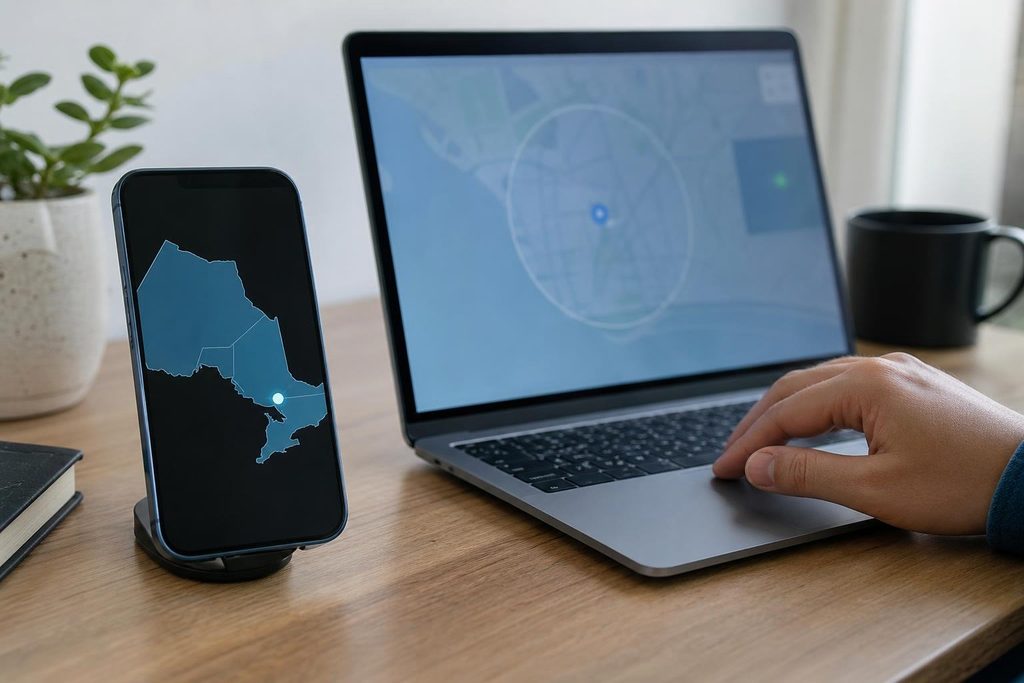
Before an Ontario-regulated online casino allows play, a browser or app may ask for access to the device’s location. On a computer, there may be an extra step: installing software that helps establish where the player is.
That request comes from a provincial requirement with a practical challenge behind it. The operator must establish that someone is physically inside Ontario, then continue checking during play. Doing that involves several sources of location information and checks for software that could disguise a device’s position.
Why the Provincial Boundary Matters
Ontario’s regulated private online gaming market opened on April 4, 2022. Operators must register with the Alcohol and Gaming Commission of Ontario and sign an operating agreement with iGaming Ontario.
For someone researching casino ontario options, location permissions are one detail that affects how these websites work. Across the regulated market, wagering requires physical presence in the province.
Eligible visitors can participate while in Ontario. Meanwhile, players outside the province can register and manage accounts, including making deposits and withdrawals, under iGaming Ontario’s operator guidance. The geographic restriction applies when they wager.
The AGCO’s Standard 3.02 requires operators to detect and monitor player location and block unverified attempts to play. Checks continue at reasonable intervals set by the operator. Their timing can vary according to the player’s or device’s location, with the aim of minimizing play outside Ontario.
How the Software Locates a Device
Geolocation providers gather several clues about position. GeoComply’s technical documentation lists GPS, nearby Wi-Fi networks, cellular-network information and IP addresses among the signals its software uses.
GPS provides satellite-based positioning. Wi-Fi and cellular information add location signals, while the IP address supplies information about the internet connection. The software assesses the available inputs together.
This helps explain why a phone and a desktop computer can have different requirements. Phones have built-in positioning capabilities. A computer’s location check may require an enabled Wi-Fi adapter and several nearby networks to be visible, even when the user is already online.
The software also examines whether someone could be altering those signals. GeoComply describes checks for VPNs, proxies, remote-desktop connections, fake-location applications and modified devices.
Such checks serve Ontario’s requirement to detect tools capable of circumventing location verification. In an April 2023 report covering its Ontario operator customers since market launch, GeoComply reported more than 3.3 million location-spoofing attempts.
Why Some Websites Ask for an Extra Download
The way operators install this technology shapes what players see. A desktop helper application can work alongside a browser, collecting the information needed for a location check after the user grants permission.
Mobile software can draw on positioning features already available on a phone or tablet. Browser-based products provide another route: in June 2023, GeoComply announced an Ontario solution that verifies location directly through a website, without a companion application or plug-in.
Xpoint also documents two approaches, software embedded in an operator’s app or website and a separate companion application called Xpoint Verify. Both require location services and the necessary permissions.
These arrangements account for the different steps users encounter. The same provincial requirement can produce a download request on one website and a permission prompt within another.
When a Check Fails Inside Ontario
Being inside the province and giving software enough information to establish that position are separate parts of verification. Disabled permissions can leave the system short of usable location signals.
A VPN can also interfere with the check. Near a provincial boundary, precise positioning becomes especially important because the system must establish which side the device occupies.
Ontario’s public gaming operator covers these situations in its location-troubleshooting guidance. Its instructions include enabling device and browser location access, turning on precise location where supported and using Wi-Fi or mobile data for boundary-related difficulties.
Until the location is established, the requirement to block unverified play can interrupt wagering.
What Players Share Through Location Permissions
Location verification involves device information as well as coordinates. GeoComply’s privacy statement lists IP addresses, device models, operating-system and browser versions, identifiers and signs of location masking.
It also lists a device fingerprint, a collection of characteristics that helps recognize a device. Operators’ privacy policies explain their collection and sharing arrangements, including the role of outside geolocation providers.
For players, understanding that permission request means understanding what information supports the check. Age and financial safeguards also matter: Ontario’s private regulated market is restricted to adults of legal gambling age, and gambling carries financial risk. Spending limits, time limits and self-exclusion tools offer ways to restrict participation alongside the geographic controls.