Dynamic Asset Management: Evaluating the Icons8 API for Production Apps

Managing visual assets in modern software isn’t just about dropping a folder of SVGs into a repo.
Static bundles break down at scale. You either end up with a bloated application size because you included every possible icon, or you lack the variety required for user-generated content features.
Engineering teams face a specific choice: When does the Icons8 API platform beat running your own asset hosting?
The answer lies in your application’s architecture. Closed systems with fixed UIs benefit from local hosting. But creative platforms, white-label solutions, or apps requiring context-aware visuals need infrastructure that is difficult to replicate in-house.
Scenario 1: Building a White-Label Website Builder
Take a SaaS platform letting small business owners build their own landing pages. Users need to add icons to feature lists, pricing tables, and contact forms.
Relying on a static bundle forces the engineering team to curate a set of perhaps 200 generic icons. That limitation creates friction. A bakery owner won’t find a “croissant,” and a mechanic won’t find a “wrench.”
The Integration Workflow
- Search Implementation: Integrate the Search API into the frontend editor. When a user clicks “Add Icon,” a modal opens with a search bar. Typing “coffee” fires a request to the search endpoint.
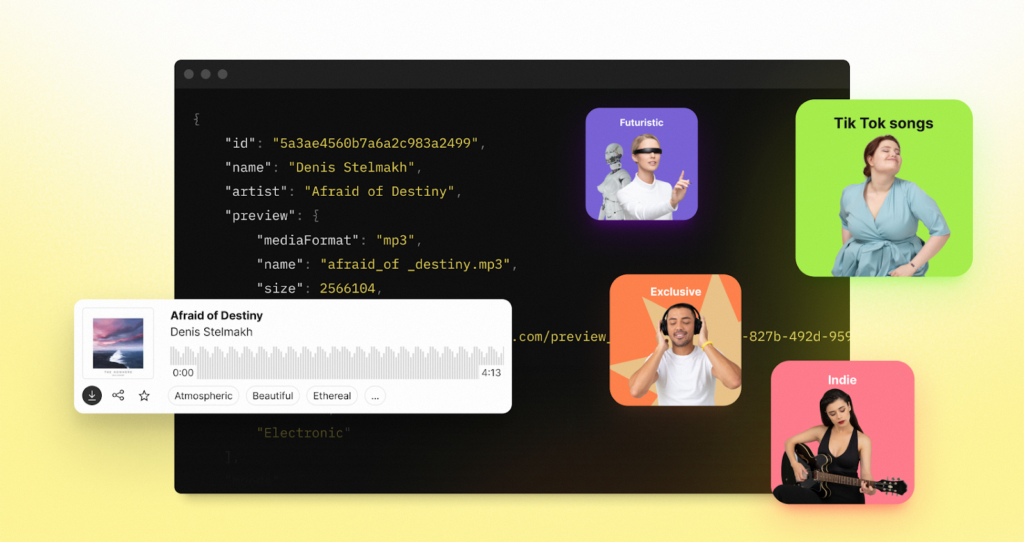
- Preview Loading: The API returns a JSON response with low-resolution preview URLs. These lightweight files load instantly in the grid view, letting users browse hundreds of options without slowing down the editor.
- Selection and Retrieval: Once the user picks a specific coffee cup style, the application makes a second call-the Download call. This requests the high-fidelity SVG or high-resolution PNG of that specific asset ID.
- Asset Delivery: Files arrive via CDN. The application embeds this SVG directly into the user’s DOM.
Decoupling search from download gives the platform an inventory of over a million assets. Yet, the initial payload of the website builder remains minimal. The external infrastructure handles the heavy lifting.
Scenario 2: Context-Aware Dashboard Automation
Logistics dashboards present a different challenge.
Imagine a data visualization company displaying status indicators for shipments: trucks, ships, drones, cargo planes. Hard-coding these assets is brittle. Adding a new transport method usually means deploying new code with new assets.
The Programmatic Approach
- Data Mapping: The backend receives a shipment status object containing a transport type (`”drone_delivery”`) and a status code (`”delayed_weather”`).
- Dynamic Querying: Instead of a local file lookup, the system queries the API with specific tags. It requests an icon matching the keyword “drone” with a specific style filter (like “Color” or “Office”) to ensure visual consistency.
- Fallback Logic: API logic allows developers to query for a fallback or related term if a specific “drone” icon isn’t available in the preferred style. The UI never breaks or shows a blank space.
- Caching Strategy: Caching the CDN URL for 24 hours respects rate limits and improves speed. Subsequent requests for “drone” serve the cached link immediately.
This setup transforms the icon library from a static folder into a dynamic service. It responds to data changes without requiring a new deployment cycle.
A Day in the Life: The Frontend Integration
Building a “Social Proof” section on a marketing site requires a different workflow than the traditional “download and save” method.
First, read the documentation to understand authentication. Generate an API key from the dashboard. Before writing any React or Vue code, open a terminal to test the response structure.
Run a curl command to search for “user avatar” icons.
The initial JSON response might look messy. Without specifying a style, results will mix flat, 3D, and doodle aesthetics. Adjust the query parameters to filter strictly for “Office” style icons to match corporate branding.
Once the query returns a consistent set of visuals, write a simple utility function. This function accepts a keyword and returns the URL of the first matching result. Drop this function into the “Testimonials” component.
Now, the component automatically pulls 10 distinct avatar photos or illustrations on mount. No more manually hunting for placeholder faces.
Finally, implement a check to prevent hitting the API on every re-render. Wrap the fetch logic in a memoization hook. The feature ships in hours, avoiding the days usually spent sourcing, licensing, and optimizing assets manually.
Comparison with Alternatives
The Icons8 API occupies a specific niche compared to other methods.
Self-Hosted Static Bundles (FontAwesome, Heroicons)
Self-hosting remains the gold standard for raw performance. It costs nothing beyond bandwidth and works offline. But it is rigid. You are limited to installed assets. A standard library likely won’t have a specific API icon representing a niche concept like “artificial intelligence debugging.” A dedicated API platform will.
Other Asset APIs (Iconfinder, Flaticon)
Competitors like Iconfinder and Flaticon offer similar REST endpoints. The difference lies in aesthetic consistency. Icons8 is known for strictly categorized styles (Windows 11, iOS), making programmatic fetching safer. You avoid getting a jarringly different art style in search results, a common issue with platforms aggregating content from thousands of independent designers.
CDN Hosting
Hosting assets on AWS S3 or Cloudflare solves delivery speed but lacks intelligence. An S3 bucket cannot “search” for synonyms. Naming a file `trash.svg` means a search for `bin` returns nothing. The API handles this semantic mapping, saving massive engineering effort.
Limitations and When This Tool is Not the Best Choice
Relying on an external dependency isn’t always the right move.
Mission-Critical Offline Apps
Field service apps or medical devices operating in poor connectivity zones can’t depend on REST endpoints. Assets must be bundled locally.
Simple Brochure Websites
Standard corporate websites needing only a hamburger menu, three social media logos, and a chevron shouldn’t over-engineer. The latency of an HTTP request to fetch an icon adds unnecessary overhead compared to an inline SVG.
Strict Budget Constraints
High-volume usage involving thousands of search and download calls daily moves projects into paid plans. Applications with massive traffic but low revenue per user might find the cost of API calls outweighs the value of dynamic assets.
Practical Tips for Implementation
Follow these practices to prevent technical debt:
- Distinguish Search vs. Download: Treat browsing (search) and getting the file (download) as different actions. Use low-res search previews for UI selectors. Only trigger the “download” call when the asset is actually applied to the canvas. This saves quota.
- Leverage the Formats: Always request SVGs for web interfaces to ensure scalability on retina screens. Use PNGs only for email templates where SVG support is spotty.
- Cache Aggressively: Never call the API for the same asset twice in the same user session. Store the CDN URL in application state or local storage.
- Explore the Suite: Endpoints exist for Background Removal and Upscaling. Apps involving user-uploaded photos can chain these APIs-upload a photo, remove the background, then overlay an icon fetched from the library.
Bridging the gap between design resources and code changes the workflow. Creative assets become data, enabling a level of automation and flexibility that static files simply cannot match.